Agent management
Agent Management feature allows you to manage general information of all agents (devices) within your organization.
1.View Agent List
- Each agent displays general information, including: Name, Status, Group, Update Group, Last Ping, First Ping, DNS, Policy, Agent ID, Platform, Platform Version, Architecture, and Software Version.
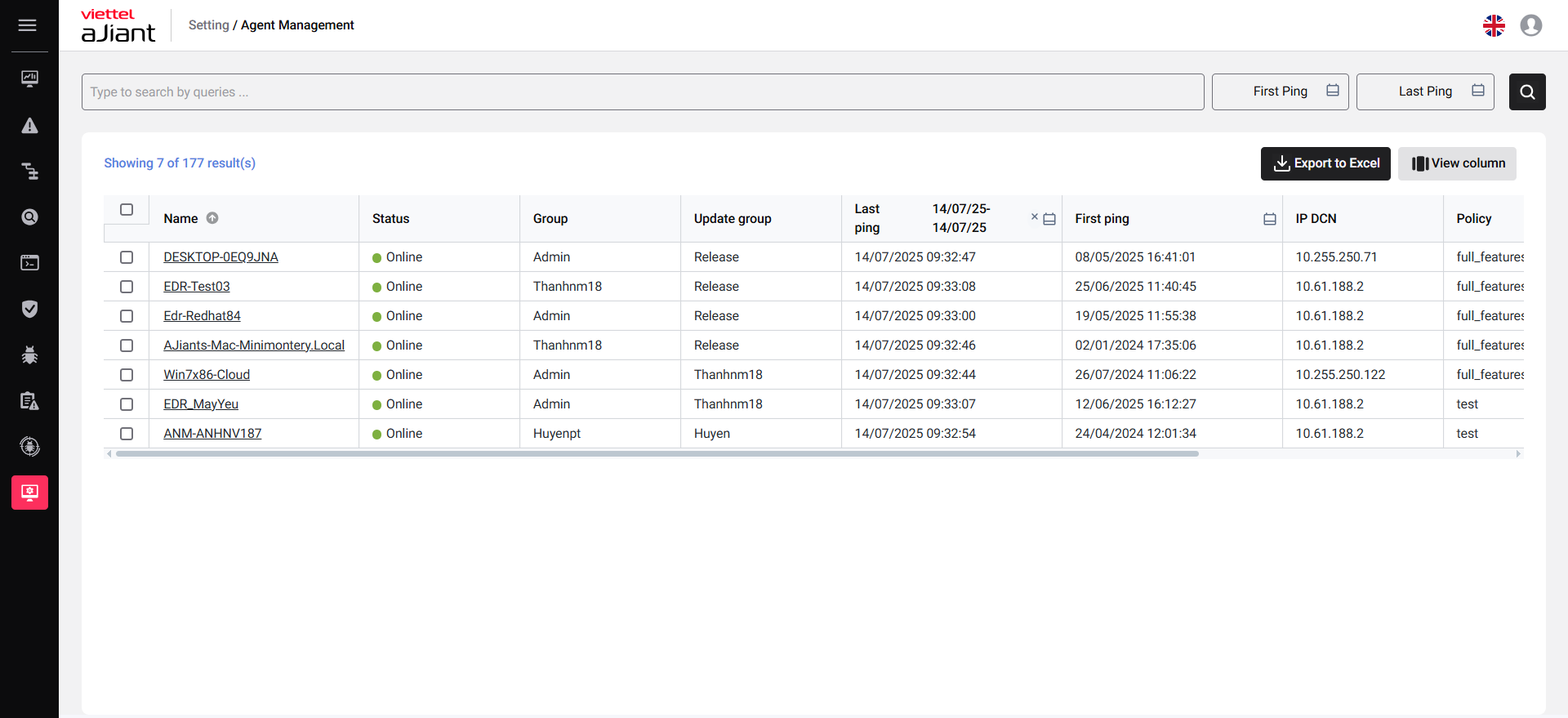
2.Search Agents
- You can search for agents using various details such as Agent ID, Computer Name, Operating System, Architecture, Platform, Policy, IPDCN, Online Status, Update Group, Group ID, IP Address, MAC Address, and Version.
- You can use the operators “=” (equals), “!=” (not equals), and “~” (contains/partial match), AND/ OR
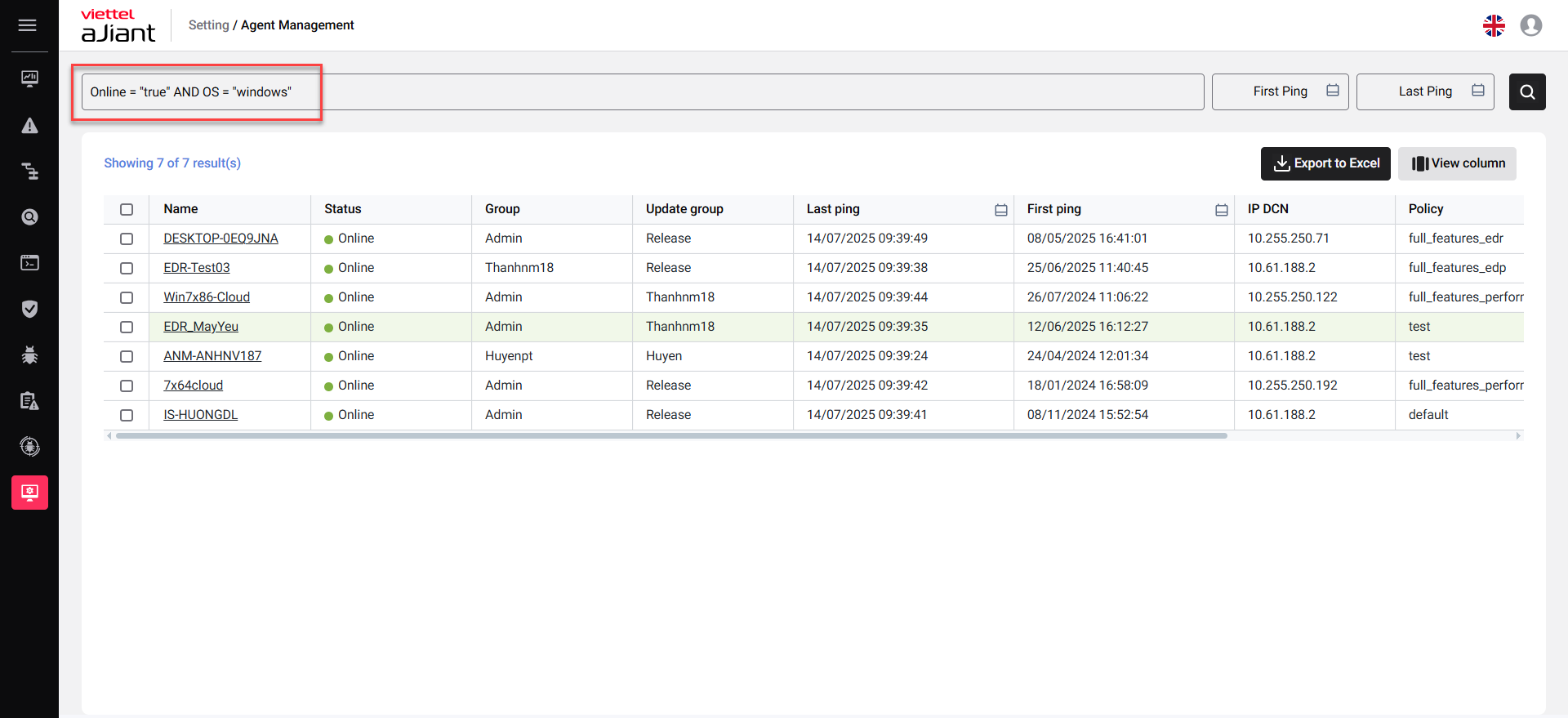
3. View Agent detail
By clicking on a separate tab, you can view detailed information about your agent.
3.1. General information
- The system displays general information about the agent, including: General information, CPUs, Network Interfaces, Default Gateway and DNS Server
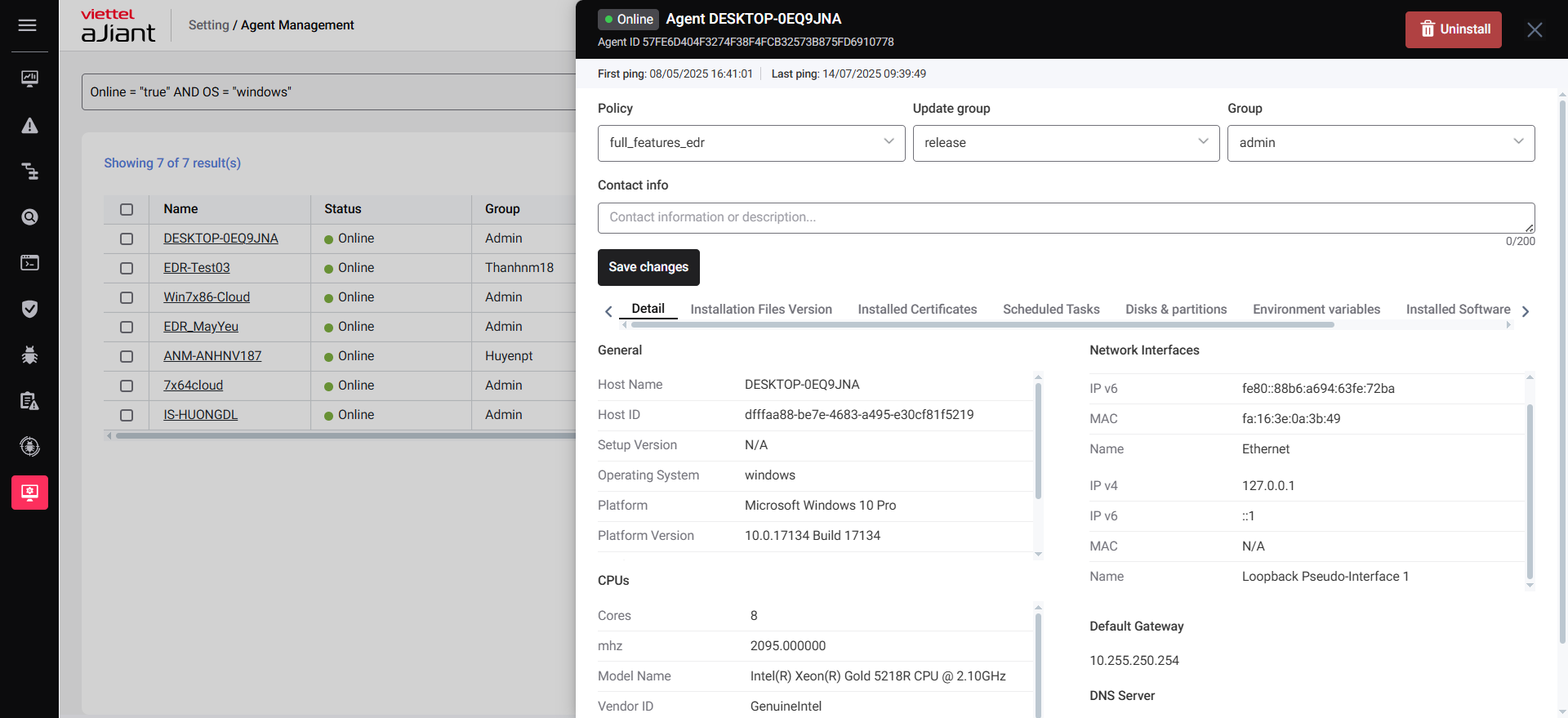
3.2. Installation Files Version
- Statistics of all agent installation files, including the following information: Name of folder containing installation file, File name and Version.
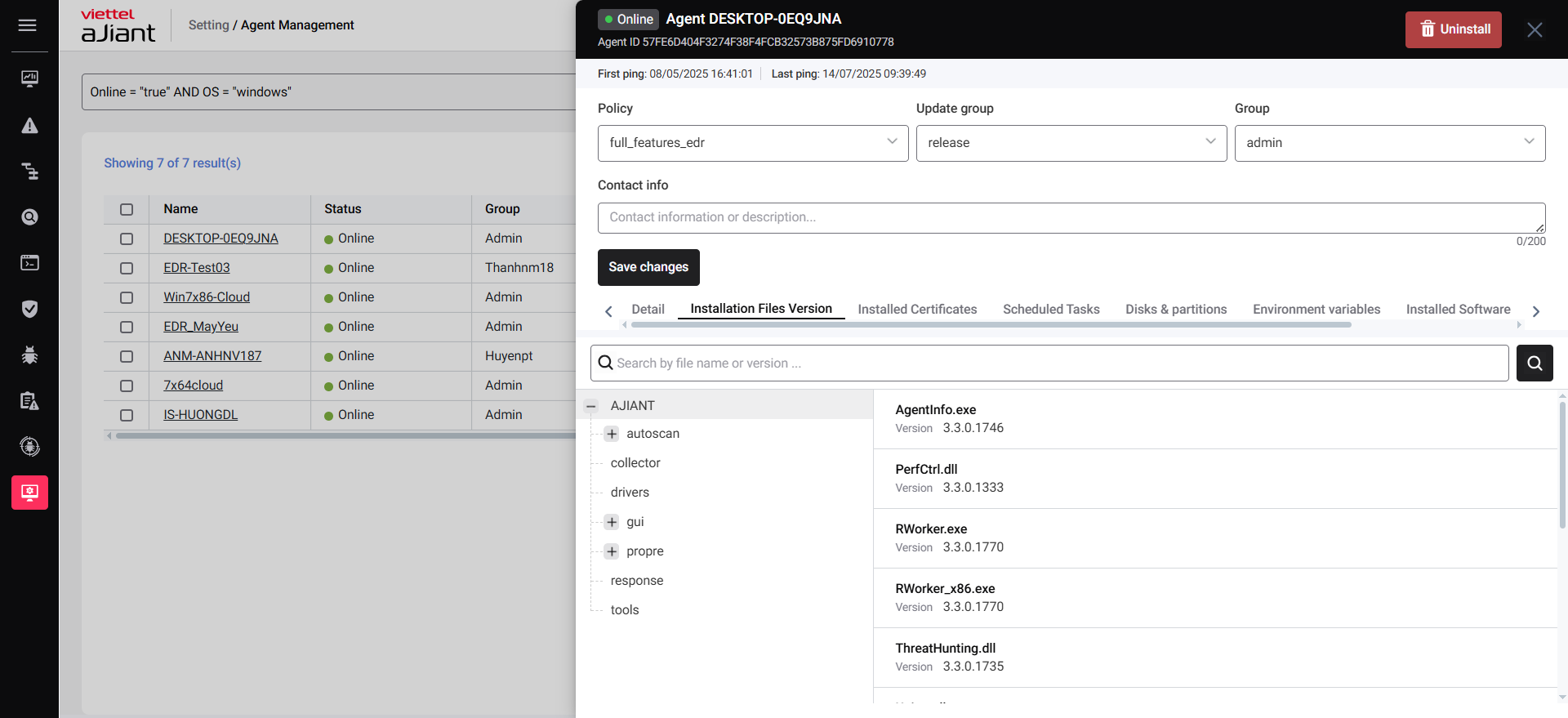
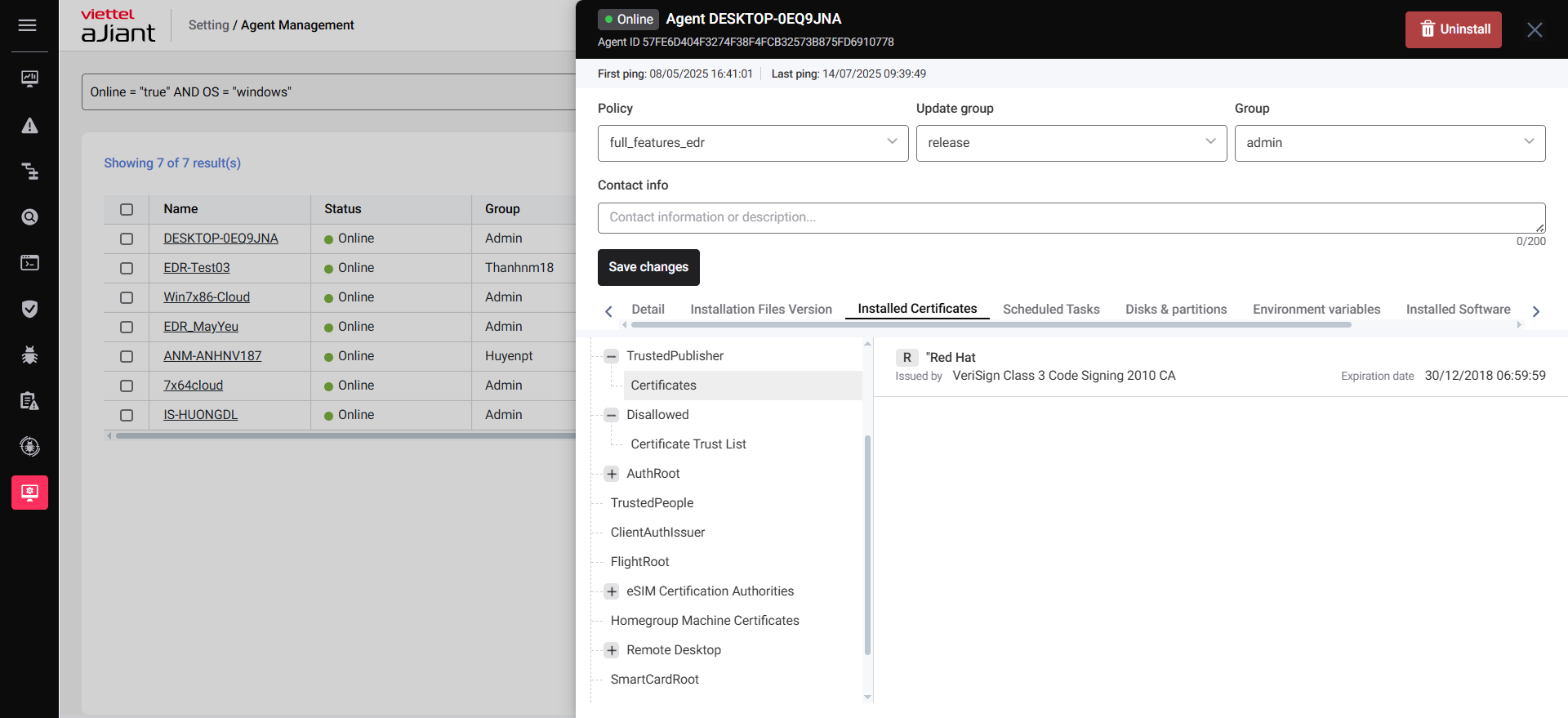
3.3. Installed Certificates
Installed Certificates shows a summary of all certificates on the machine where the agent is installed. It includes the following details:
List of certificates currently on the machine
Who issued the certificate (Issued by)
Who the certificate was issued to (Issued to)
When the certificate will expire (Expiration date)
The current status of the certificate (State – for example, valid or expired)
In short, this feature helps you quickly view and check the status of all certificates on the device.
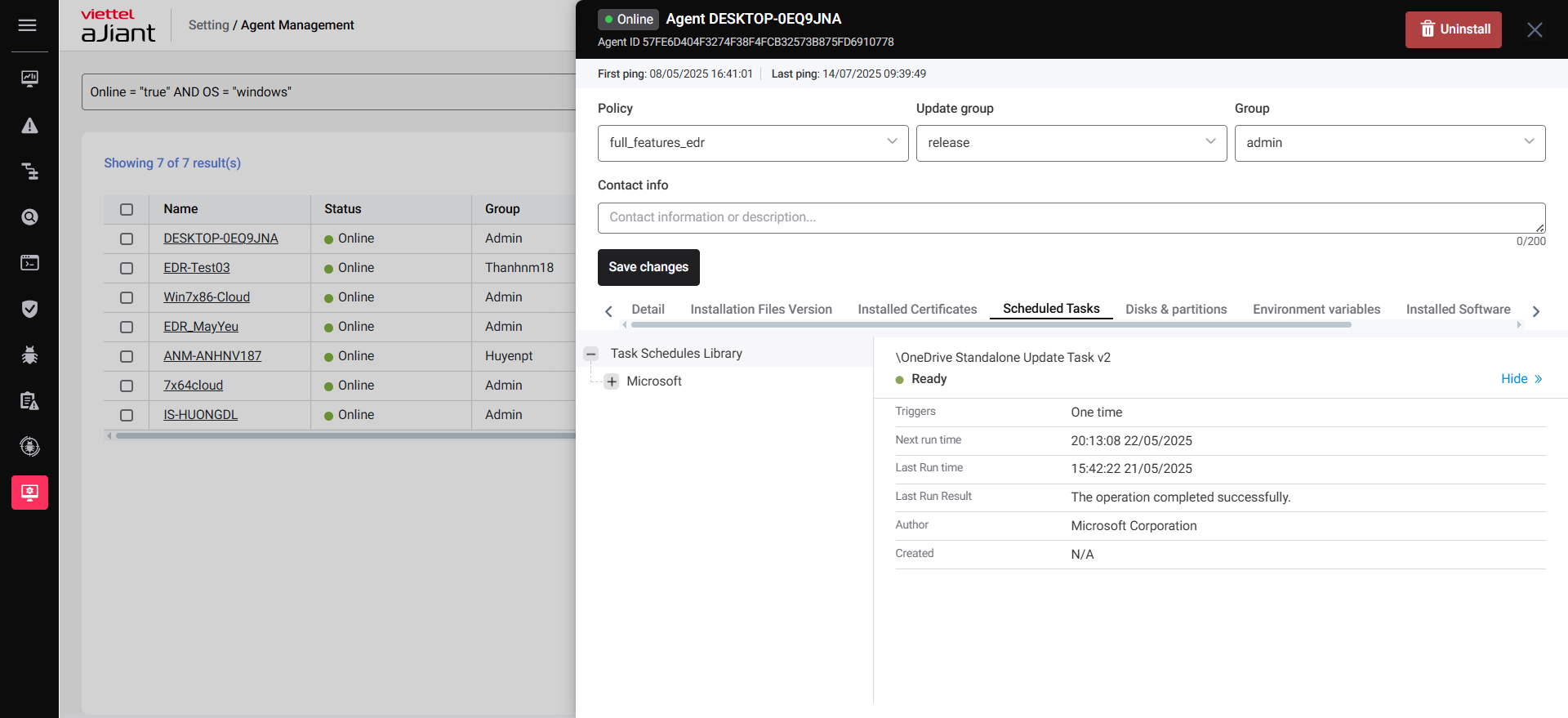
3.4. Scheduled Tasks
Scheduled Tasks shows all scheduled tasks on the machine where the agent is installed. It includes:
A list of tasks that are set to run automatically
Name of each task
State (whether the task is enabled or disabled)
Trigger (what causes the task to start, like a specific time or event)
Next time run (when the task will run next)
Last time run (the last time the task was executed)
Author (who created the task)
Created (when the task was created)
In simple terms, this helps you see what automatic tasks are set up on the device and how they’re working.
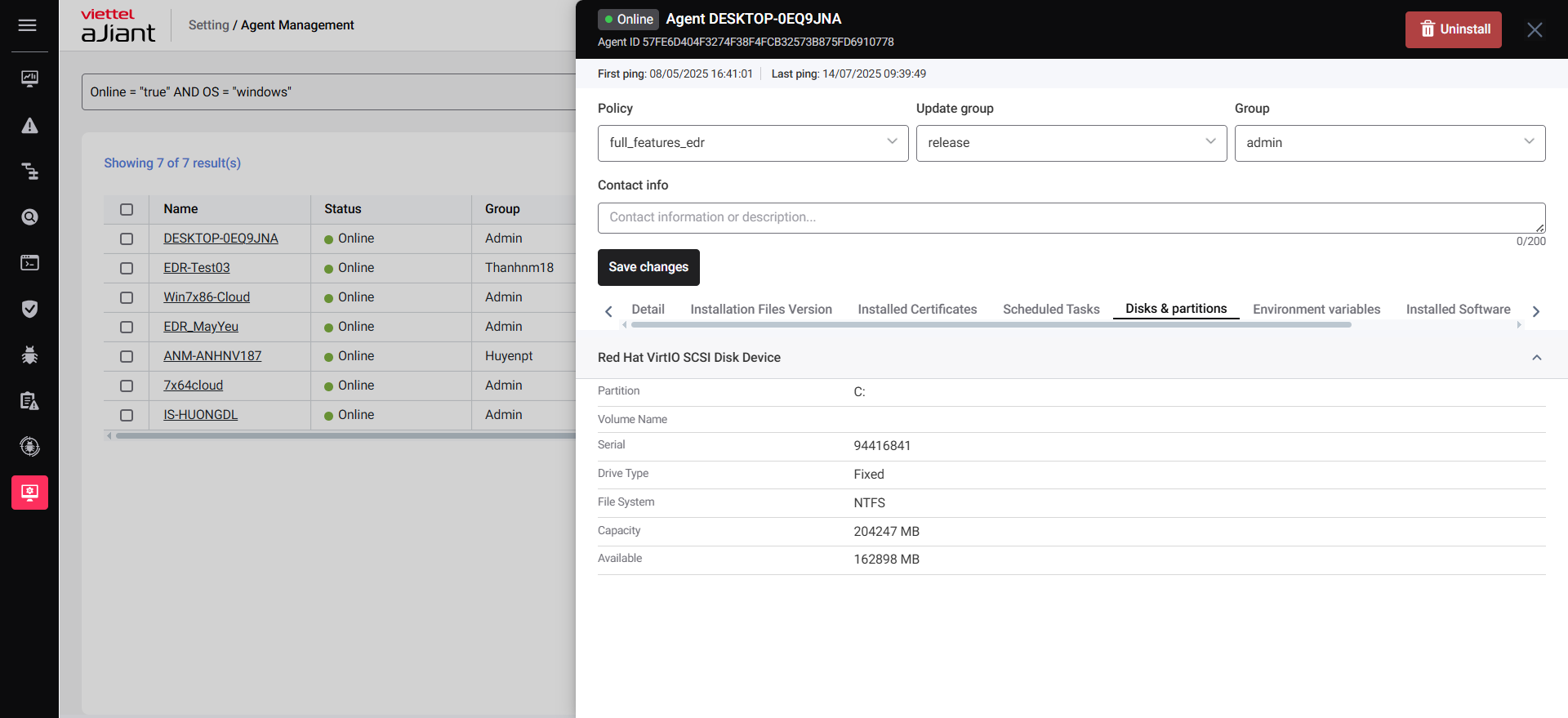
3.5 Disks & Partitions
This tab shows all disks and partitions on the machine where the agent is installed. It includes:
A list of all disks and their partitions
Volume name (the label or name of the disk/partition)
Serial number of the disk
Drive type (e.g., fixed hard drive, removable USB)
File system (e.g., NTFS, FAT32)
Capacity (total storage space)
Available (free space left)
In short, it helps you understand how storage is organized and how much space is available on the device.
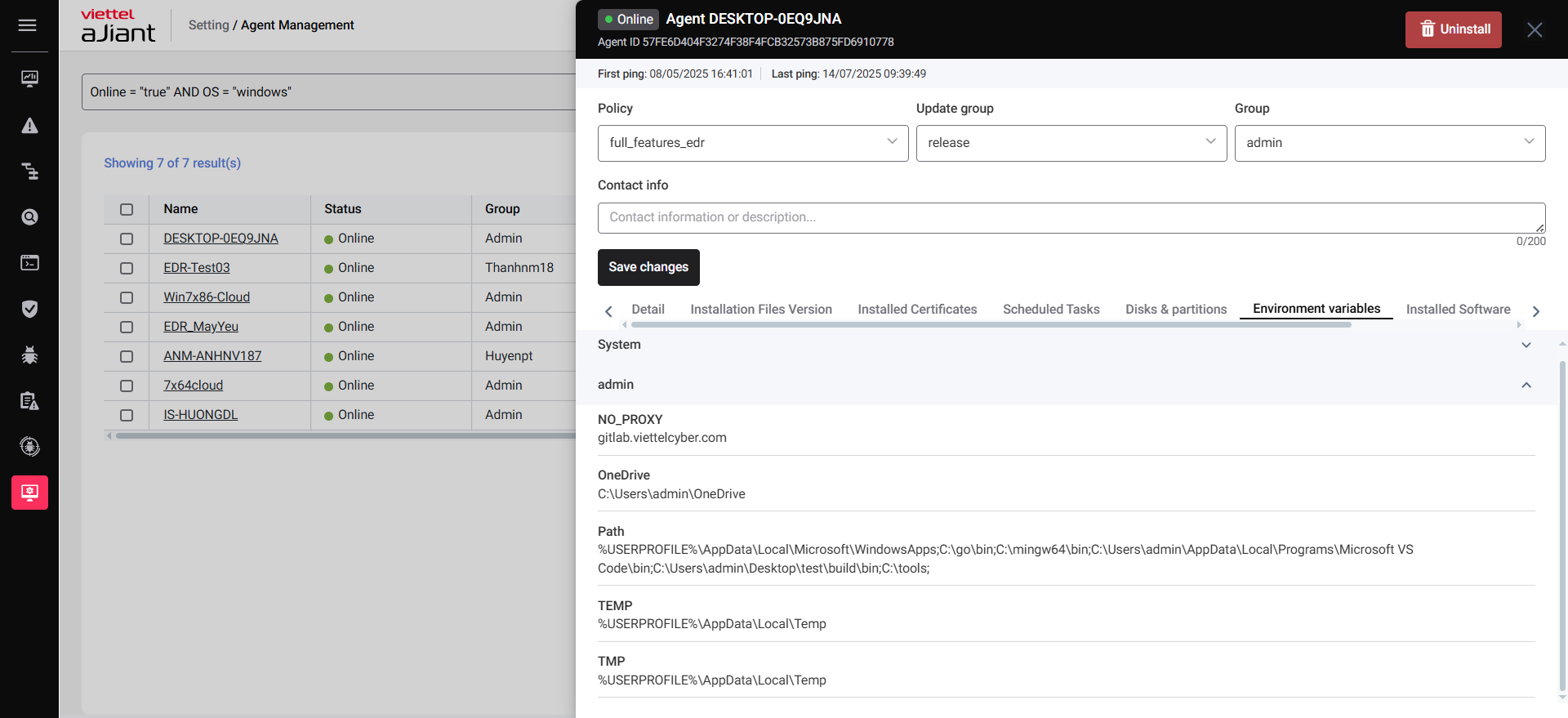
3.6. Environment variables
This tab shows the settings and paths the system and users use to run programs and processes.
4. Action
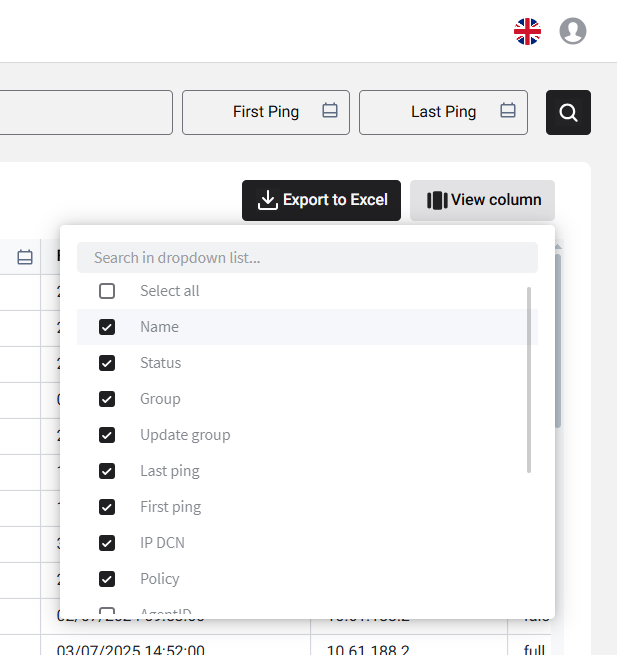
4.1. View column
The View column allows you to choose which information to show or hide on the list screen.
4.2. Export Agent
- You can download all agent information as a CSV file for easy viewing and management.
